

Step by Step Guide to Using the Forex Factory Website
Forex Factory is a comprehensive website for forex traders, designed to provide the necessary information and tools for successful trading in this global market. This website has various sections, each of which can be useful for traders in its own way.
One of Forex Factory's standout advantages is free access to most of its features and resources. Today it's far more than a discussion forum — it has grown into a comprehensive platform of tools and resources for traders. This guide walks you through every section, step by step.
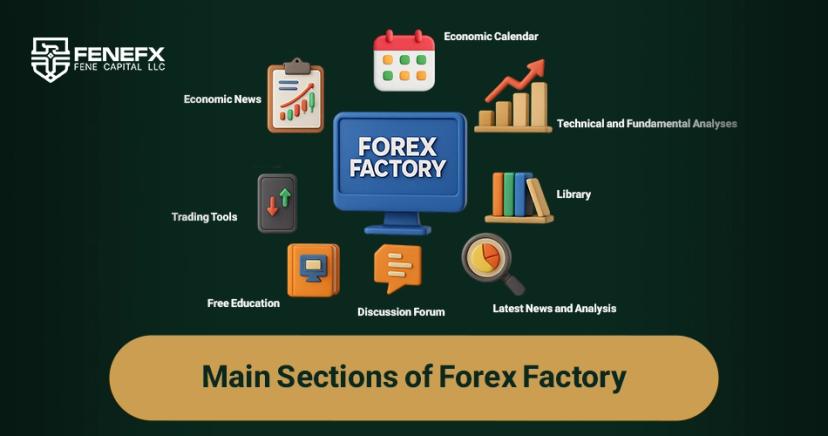
Main Sections of Forex Factory
Forex Factory continuously publishes free forex-market news and analysis so you stay informed of the latest developments and make better-informed decisions.
Economic calendar, pip calculator and currency converter — all free — help you manage trades and improve accuracy and efficiency.
A space for discussion and Q&A among traders of every experience level; ask your questions and learn from others.
Multiple free currency-trading courses that get you familiar with the basics and build the skills you need to trade.
A comprehensive library of educational articles and books on technical analysis, fundamental analysis and trading psychology — free.
One of the most reputable sources for economic news that moves FX; the calendar displays the major events that affect exchange rates.
Key Terms for Using Forex Factory
Short for Percentage in Point; the smallest possible change in a currency pair's price. Understanding it is essential for precise fluctuation analysis and risk management.
Represents the trade volume of each transaction, based on the number of currency units. Example: 1 Lot of EUR/USD equals 100,000 Euros.
The credit/loan available to place trades. Advantage: bigger trades with less capital. Disadvantage: higher risk and potential losses.
The difference between the bid and ask price of a pair — the cost you pay the broker. Choosing a broker with competitive spreads cuts cost and lifts profitability.
Occurs when the account falls below the minimum margin required to hold positions; the broker sends a margin call. Fix: deposit funds or close some positions.
A preset price level that automatically closes a trade to cap losses; an effective tool for risk management and capital protection.
Like a stop-loss, but to close a trade at a target profit level; ensures profitability and keeps greed from overriding logic.
The extra capital required to keep a position open; determined by account equity. Managing it well keeps trading stable and flexible.
Long: buying a pair expecting a price rise. Short: selling expecting a fall. Understanding the difference is key to sound decisions.
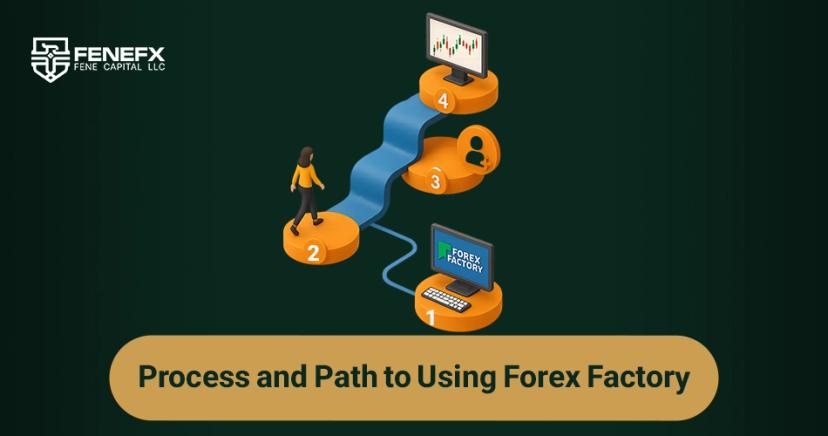
Process and Path to Using Forex Factory
To use Forex Factory's features, first register on the website. Then visit the different sections (news, analyses, tools, forum), pick the tool or resource you need, and start using it. For example, to read forex news, open the News section and read your preferred articles.
Create an account on the Forex Factory website.
Go to News, Analysis, Tools or the Forum.
Select your desired tool or resource and start using it.
The Different Sections of Forex Factory
A summary of key market news and events, the economic calendar, and various trading tools.
Forex-market news categorized by topic and country.
Analysts review and forecast the market using various methods.
Pip calculator, economic calendar and currency converter.
Multiple courses related to forex trading.
Traders exchange opinions, ask questions and discuss.
Step-by-Step Guide to Using the Sections
News section
- 1
Go to “News” at the top of the homepage.
- 2
Filter news by topic and country.
- 3
Click a title to read the article.
Analysis section
- 1
Go to “Analysis” at the top of the homepage.
- 2
View analyses by topic and analyst.
- 3
Click a title to read the analysis.
Tools section
- 1
Go to “Tools” at the top of the homepage.
- 2
Find the pip calculator, economic calendar and currency converter.
- 3
Click a tool to use it.
Education section
- 1
Go to “Education” at the top of the homepage.
- 2
Browse the various forex-trading courses.
- 3
Click a title to enroll.
Discussion forum
- 1
Go to “Forum” at the top of the homepage.
- 2
Engage in discussions and Q&A.
- 3
Click a topic title to enter it.
Practical Tips and Tricks
Use filters and search tools to quickly find the information you need.
Use Forex Factory's alert system to track news and analyses for your favorite pairs and topics.
Engage with other traders in the forum for Q&A and exchanging ideas.
Take advantage of the training courses to improve your knowledge and skills.
Use plugins and add-on tools to get more out of the website.
Plugins and Add-On Tools
Quick access to Forex Factory's news, analysis and tools directly from your Chrome browser.
Quickly convert exchange rates for different currency pairs.
Calculate your profit or loss on a forex trade.
Setting the Time on Forex Factory
Setting the time syncs the timing of economic announcements and financial events with your own time zone, so you stay informed in time to act.
- 1
Go to the Forex Factory website (forexfactory.com).
- 2
At the top of the page, click Calendar.
- 3
At the bottom-right of the calendar page, go to the Time Zone section.
- 4
Click Set your time zone.
- 5
Select your time zone from the country list, or use the Search box, or set it manually.
- 6
Click Save Settings.
- If your time zone isn't set correctly, announcements may show at the wrong times.
- To verify, use a global-time site like TimeandDate.com.
- Forex Factory uses the 24-hour time format.
Reading the Market with the Sentiment Indicator
The Market section goes beyond real-time prices, offering analytical tools for deeper insight into overall market sentiment; one of them is the Sentiment Indicator.
It shows how many traders are inclined to buy (Long) or sell (Short) a specific pair, based on the volume of buy and sell orders recorded on Forex Factory.
Sentiment analysis is a pillar of technical analysis; it tells you whether most traders are optimistic (buying) or pessimistic (selling) on a pair — helping you spot opportunities and the likely direction of price.
Trading Journal on Forex Factory
The trading journal plays a vital role in your progress. With its powerful journal, Forex Factory helps you record, analyze and evaluate your trades.
Log every detail of each trade: date, pair, size, entry/exit prices, P&L and the strategy used.
By logging data, you analyze your performance over time and identify strengths and weaknesses.
Recording and reviewing mistakes helps you avoid repeating them.
A journal brings structure and discipline, so you trade with a clear plan and strategy.
Reviewing the journal reveals your behavioral and psychological patterns so you can improve them.
Final Words
With a comprehensive set of information, tools and educational resources, Forex Factory is a reputable, reliable reference for traders and analysts. Use its diverse features to grow your knowledge and skills. Education is a fundamental pillar of success — and Mohammad Ahangari's free “Zero to One Thousand” course, basic-to-advanced, plays a vital role.
Comments
Didn't know what those red folder icons meant until now, honestly. Thanks for walking through every section.
First time I traded through NFP without checking the calendar, my stop got blown through in seconds. Now Forex Factory is open before every single session.
Bookmarked, super handy guide.
Tip from someone who's used FF for years: the forum threads on specific pairs are gold, but ignore the signal-selling posts entirely.
Is there a way to filter the calendar to just show high-impact USD news? That part wasn't totally clear to me.