




Step-by-Step Guide to Registering on CoinLocally Exchange for Iranians
CoinLocally, a bridge between the traditional financial world and the digital currency era, has provided a unique opportunity for Iranian users. This exchange offers a variety of services and the ability to use the platform without identity verification, providing a practical solution to overcome the limitations in accessing global cryptocurrency markets. From spot trading to advanced futures, CoinLocally offers a wide range of tools for traders.
Section One: Introduction to CoinLocally
Introduction to CoinLocally Exchange
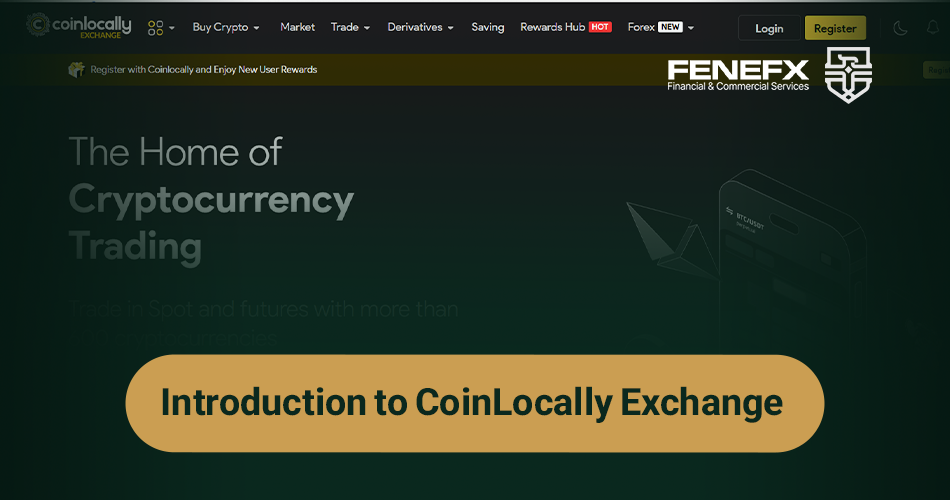
CoinLocally is a cryptocurrency exchange designed to facilitate trading in the digital currency market. This platform acts as an intermediary between buyers and sellers, enabling the purchase, sale, and exchange of various cryptocurrencies.
One of the standout features of CoinLocally is its close partnership with the major exchange Binance. This collaboration allows CoinLocally users to benefit indirectly from Binance's liquidity and diverse range of cryptocurrencies.
CoinLocally offers a broad range of services, including:
- Spot and Futures trading
- Deposits and earning profits (Earn)
- Participating in airdrops and trading tournaments
- Exclusive CLYC token
This exchange is available via both its website and mobile app, making it easy to use.
CoinLocally and Iranian Users
One of the main advantages of CoinLocally for Iranian users is the ability to use the platform's services without the need for identity verification. This feature is particularly valuable given the restrictions many Iranian users face when accessing international exchanges.
Iranian users can create an account on CoinLocally using a VPN or VPS with a fixed IP address. However, they must ensure proper security precautions.
There are also limitations for non-verified users. For example, the daily withdrawal limit for this group of users is 0.3 BTC. However, there are no restrictions on cryptocurrency deposits.
Another important point is that CoinLocally offers fiat-to-crypto purchases through its partner Mercuryo, but this service is unavailable for users in Iran.
In conclusion, CoinLocally offers a variety of services and the ability to use the platform without identity verification, making it an attractive option for Iranian users interested in trading in the cryptocurrency market. However, users should always consider the risks associated with using foreign platforms and market volatility.
Section Two: Getting Started with CoinLocally Step-by-Step Guide to Registering on CoinLocally
To get started on CoinLocally, the first step is registration. This process is simple and quick. First, visit the official website at
www.coinlocally.com. On the homepage, you'll find the "Register" option at the top right of the page. Clicking this will open the registration form.
There are two methods for registration: email or phone number. For added security, it's recommended to use email. Once you select your preferred method, fill in the requested details, including your email address, password, and a repeat of the password.
If you wish, you can also enter a referral code, which will be discussed later. After completing the form, check the box to agree to the platform's terms and conditions, then click "Register Now."
Next, a verification code will be sent to your email address. Enter this code in the specified field and click "VERIFY." Once this step is completed, you can access your account.
A key point to note is that to use CoinLocally’s services in Iran, you must use a VPN or VPS with a fixed IP address. Fortunately, this exchange can be used without identity verification, although there are daily withdrawal limits.
How to Register with Discounted Fees on CoinLocally?
One of the attractive benefits of CoinLocally is the ability to use a discount on trading fees. To take advantage of this, you can enter a referral code during registration. This not only benefits you but also provides a reward to the referrer.
To use the referral code, during registration, enter the referral code in the "Referral Code" section. By doing so, you will enjoy a 20% discount on trading fees.
Additionally, CoinLocally offers another way to reduce trading fees. If you pay your trading fees using BNB (Binance Coin), you will receive an additional 25% discount. This method can significantly reduce your trading costs.
After registration and logging into your account, you can access your own referral code in the "Referral" section of the main menu and invite friends and acquaintances to benefit from further advantages. This system allows you to share the discount with the person invited.
By following these steps, you can trade on CoinLocally with the lowest possible fees and take full advantage of its benefits. Remember, using the referral code and paying fees with BNB are two effective ways to reduce your trading costs.
Section Three: Trading on CoinLocally How to Deposit and Withdraw on CoinLocally
To deposit cryptocurrency into your CoinLocally account, first log into your dashboard and select the Deposit option. Then select the cryptocurrency and the transfer network. An address and barcode for deposit will be displayed. Copy this address and paste it into your wallet to initiate the transfer.
To withdraw, select the Withdraw option and specify the currency, network, and amount to withdraw. Enter the destination address and click Submit. Please note that without identity verification, the daily withdrawal limit is 0.3 BTC.
How to Trade on CoinLocally
To begin trading, navigate to the Market section. Here, you will see a list of currency pairs with information such as price and trading volume. Choose the currency pair you want to trade and click Trade. Please note that to make trades, you must have the CoinLocally mobile app installed.
On the trading page, you can choose between spot and futures trades. Set the order type (limit, market, etc.), quantity, and price, and click buy or sell to place your order.
Spot Trading on CoinLocally
To trade spot, select the Spot option under the Trade menu. Choose the currency pair and set the order type. There are three main types of orders:
- Limit: Set the desired price and quantity.
- Market: Buy/sell at the current market price.
- Stop-Limit: Set an order to be triggered at a specific price.
Once the order details are complete, click Buy or Sell to place your order. You can track your open orders in the Open Orders section.
Futures Trading on CoinLocally
Futures trading on CoinLocally is conducted via the mobile app. In the Futures section, first select the currency pair and leverage. Then choose the position type (buy or sell) and the order type.
Options like Limit, Market, Stop-Limit, and Trailing Stop are available. After entering the details such as volume and price, click Buy/Long or Sell/Short.
Futures trading requires more precision due to the higher risk. Be sure to use risk management tools such as stop-loss, and you can use Cross or Isolated margin settings.
By following security guidelines and understanding trading tools, you can have a great experience trading on CoinLocally. This platform, with its high-volume trading support, is a great option for professional traders.
Section Four: Additional Guide CoinLocally Mobile Application
To enhance user access and convenience, CoinLocally offers a mobile application for both Android and iOS. This app enables users to trade and manage their accounts anytime, anywhere.
It’s important to note that some advanced features, such as futures trading, are only available through the mobile app. Therefore, to access all of the exchange’s features, installing the app is recommended.
Download the Android App for CoinLocally
To download the Android version of the CoinLocally app, there are several ways:
- Visit the Google Play Store and search for "CoinLocally."
- Use the direct download link provided on the official website.
- Scan the QR code for downloading that is offered on the website.
Once the app is installed, you can log in with the same account credentials you use on the web version. For added security, it is recommended to enable two-factor authentication.
Download the iOS App for CoinLocally
iPhone users can access the iOS app in the following ways:
- Search for it in the App Store and download it directly.
- Use the download link available on the official website.
- Scan the QR code for the iOS version.
For both platforms, it’s essential to download the app from official sources to ensure its security. Be cautious of fake or malicious app versions, which may pose security risks.
After installation, open the app and log in using your account details. The user interface of the app is similar to the web version but includes some exclusive features like futures trading.
To ensure optimal use of the app, always update it to the latest version. It is also recommended to enable security features such as app locks using fingerprint or password, ensuring your account remains secure even if someone else accesses your phone.
Overall, CoinLocally's mobile app is a convenient tool for managing your cryptocurrency investments on the go. By installing and using it correctly, you can take advantage of fast trading and easy access to your account.
Depositing and Withdrawing Cryptocurrency on CoinLocally
Depositing Cryptocurrency on CoinLocally
To deposit cryptocurrency into your CoinLocally account, first log into your dashboard and select the "Deposit" option. Then select the desired cryptocurrency and transfer network. A deposit address and barcode will be displayed. Copy this address and go to your wallet to initiate the transfer.
Withdrawing Cryptocurrency from CoinLocally
For withdrawals, go to the dashboard, select "Withdraw," specify the currency, network, and withdrawal amount. Enter the destination address and click Submit. Please note that without identity verification, the daily withdrawal limit is 0.3 BTC.
Main Operations Toolbar at the Top of CoinLocally Page
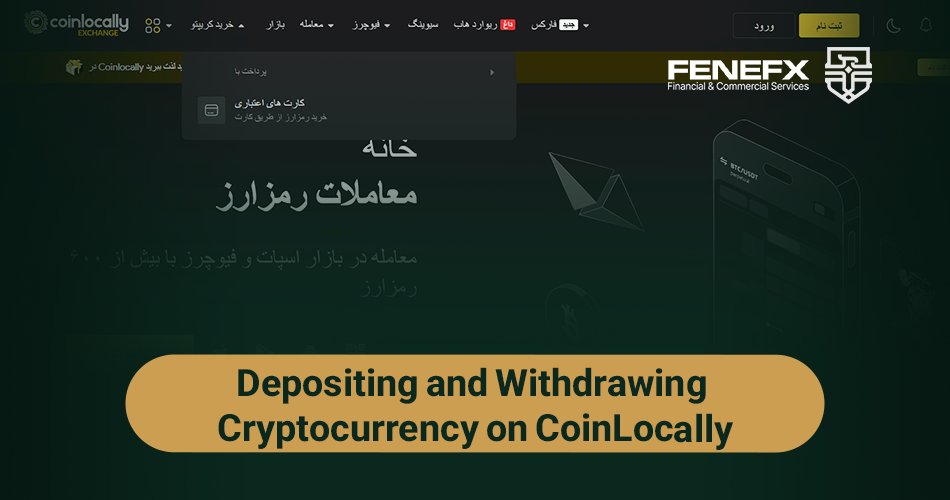
The toolbar at the top of the CoinLocally page includes essential options for performing key operations:
- Buy Crypto: Allows purchasing cryptocurrencies with fiat, though this option is unavailable for Iranian users.
- Market: Displays a list of cryptocurrencies with information like price, fluctuations, and trading volume. You need the mobile app for trading.
- Trade: Sub-menu includes Spot and Futures options for both spot and futures trading.
- Earn: Includes Savings and Airdrop options, where you can earn interest by staking cryptocurrencies and participate in airdrops.
- CLYC: Relates to the exchange’s exclusive token, showing buying information.
- Tournament: Lets you participate in trading competitions and earn rewards.
This toolbar allows quick access to various sections for completing diverse operations on CoinLocally.
Comments
Signed up a few months back — verification took about 48 hours for me, so don't panic if it's not instant. Support did eventually reply too.
Decent guide. My two cents: set up 2FA and the anti-phishing code before you deposit anything, not after. Most people do it backwards.
Nice step-by-step, the screenshots help a lot.
The KYC section had me confused for days until I read this. Didn't realize the selfie step needed the handwritten note. Thanks a lot!
Registration part is clear — could you follow up with a guide on their fee structure and withdrawal limits? That's the part I always get lost in.